RegisterAssistant
The Register Assistant application is a standalone application and is available in 32 bit as well as a 64 bit variant.
It has no dependencies on other files.
This tool can be used to quickly register or unregister the AntView control for all currently available versions.
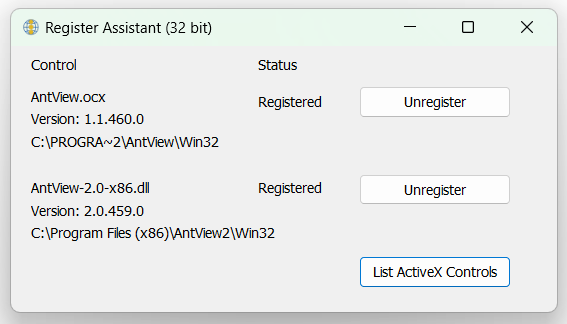
It also displays the current location of the registered components as well as the version of the registered component.
The version is retrieved by creating an invisible instance of the component and querying the control for its version instead of reading the versioninfo from the DLL (or ocx).
First a screenshot of the 32 bit version.
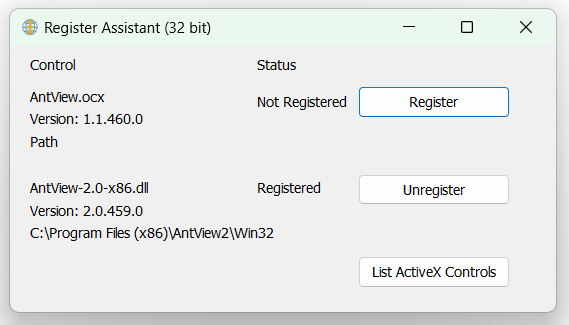
Followed by the same application, but showing what happens if you click on the unregister button for AntView version 1.
As mentioned before there's also a 64 bit version and this one handles the 64 bit versions of our control.
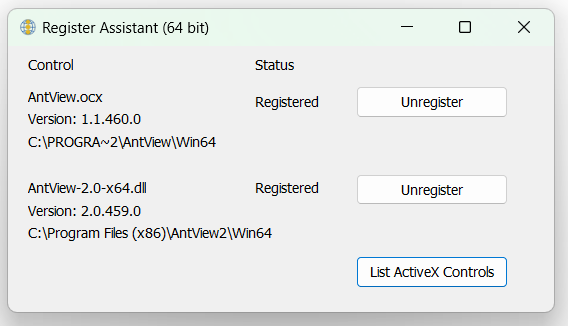
The folder names are different as well as the filename for the 64 bit version of AntView version 2.
The location of the control that is being registered is determined as follows:
- If the tool is used on a developer's machine then it will first try the location as read from the registry that was put there by the AntView installation application. IOW, the installer as downloaded from our website.
- Next it will check the same path as were the RegisterAssistant application is located to see if it could find the requested AntView control there.
- Finally it will check current Directory location.
The registerAssistant application also has a command line interface.
This way a developer can also use it at an end user machine to help with troubleshooting or registering the control.
The following parameters are currently supported:
/register
/unregister
/version=1
/version=2
/autoclose
If you would want to call the application to register AntView version 2.x on an end user machine, then you probably want to run it like:
RegisterAssistant /register /version=2 /autoclose
Which will then register AntView control version 2 and close the application automatically after 1 second.
AntView - The MS Edge WebView2 ActiveX control Date last changed: 2026/07/30